Dragify brings AI agents into real enterprise operations. Build agents that understand business information, make decisions, interact with enterprise systems and execute multi-step processes — with human approval where required.
From your data, through AI agents, into your enterprise systems.
Dragify enables organizations to build, orchestrate and scale AI agents using knowledge bases, OCR, integrations and real-time decision logic — without replacing existing systems.
Your dataSecure & governed
AI agentsChat, voice & workflow automation
Enterprise integrationsSAP, M365 & more
Understand. Decide. Act.
With people in control of every consequential step.
Agents fetch, understand and decide. When a step needs approval, the agent waits for a person before it acts.
Connected to an ecosystem of technology, research and innovation.
MINT Incubatorby EGBANK
How Dragify agents work
Fetch. Understand. Decide. Act. With people in control.
These are the capabilities an agent brings to a process — not a fixed order. Where a workflow needs authorization, the approval gate sits before the action it protects.
01
Start from the information that matters.
Bring together relevant information from connected documents, applications and data sources.
Knowledge folders and files
Multi-source retrieval
Connected enterprise systems
02
Get the meaning, not just the text.
Interpret documents and structured data in the context of the task.
OCR for scanned documents
Arabic and English understanding
Large-document processing
03
Decide within the rules you set.
Use business context and workflow logic to determine the next step.
Workflow logic and variables
Governed retrieval (RAG)
AI-assisted decision processes
◆
Keep people in control of consequential steps.
Route decisions and actions for human review or approval when the process requires it — before the action runs.
Human-in-the-loop approval
Role-based permissions
Traceable record of activity
04
Turn decisions into completed work.
Carry out operational tasks through connected systems and workflows.
Automated actions
Multi-step agents
Updates across enterprise systems
Capabilities
Everything an operational AI agent needs.
From the knowledge an agent draws on to the systems it acts in and the controls that keep it governed.
01Workflow agents01 / 06
01Trigger
02Understand
03Decide
◆Human approval
05Act
OutcomeFrom trigger to governed action
02Computer-use agents02 / 06
01Observe interface
02Understand state
03Choose action
◆Request approval
05Continue task
OutcomeObserve, reason and interact
03Document intelligence03 / 06
01Ingest document
02Classify content
03Extract meaning
04Prepare output
05Route for review
OutcomeDocuments become structured context
04Customer support chatbot04 / 06
01Customer question
02Retrieve context
03Prepare answer
04Resolve or escalate
05Record outcome
OutcomeAnswers with a clear handoff path
05OCR05 / 06
01Receive scan
02Recognize text
03Extract fields
04Validate result
05Send downstream
OutcomeFrom scan to structured data
06RAG06 / 06
01Ask or trigger
02Search sources
03Retrieve context
04Generate with evidence
05Use in workflow
OutcomeRelevant knowledge at the moment of work
Trigger → Understand → Decide → Human approval → Act
01. Workflow agents
Agents that move work forward.
Build multi-step agents that gather context, apply workflow logic and carry out the next task across connected systems.
Describe what you need to see. Work with the dashboard.
Dashboard Builder and Text-to-Dashboard turn operational information into views teams can use to understand and manage their work — starting from a plain-language description.
01Describe the dashboard you need
02Dragify prepares the dashboard
03Review and refine the view
IllustrativeText-to-Dashboard
“Show open approval requests by department and what is waiting longest.”
Conceptual view. Real dashboards reflect your connected data.
Dragify at work
Three ways to see Dragify in practice.
Pick a scenario, then step through it.
Qatar Securities — powered by Dragify
A dedicated AI agent for each investment profile manager.
Agents retrieve relevant portfolio and investment information, analyze documents and data, prepare summaries and reports, and surface issues — while the manager stays in control.
Step 1 of 5
Inside the platform
The building blocks documented for Dragify builders.
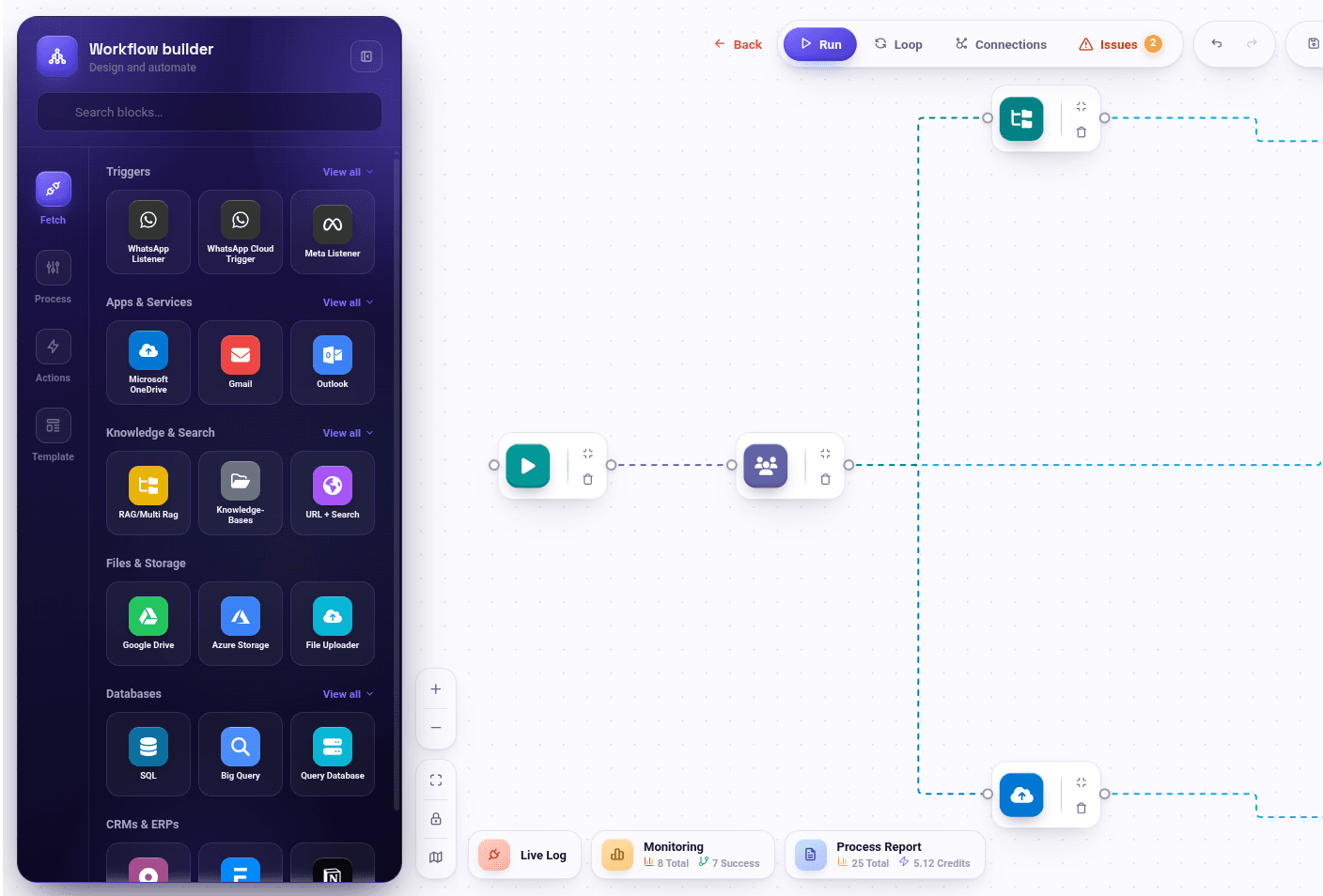
Design automated sequences visually, with loops and variables.
06
Triggers & listeners
Start workflows from webhooks, email, messaging and file events.
Where teams use Dragify
Automation across the business.
Six areas where teams put Dragify agents and workflows to work.
Dragify
01
Operations management
Task routing
Data syncing
Real-time alerts
02
Customer support
Ticket sorting
Auto-responses
Always-on availability
03
Financial operations
Invoice processing
Expense management
Financial reporting
04
Sales automation
Follow-ups
Lead nurturing
Scheduling
05
HR operations
Request handling
Schedule management
Admin automation
06
Marketing automation
Campaigns
Content
Engagement workflows
Deployment & governance
Deploy in an environment that fits your organization.
Cloud, private cloud, VPC and on-premise options, according to your company context and project requirements.
Cloud
Private cloud
VPC
On-premiseFully inside your own network
Security and governance
Role-based permissions
Auditability
Traceable record of activity
Human-in-the-loop approval
Governed retrieval
Enterprise connections
Microsoft Teams
SharePoint
OneDrive
SAP
APIs
Databases
Email
Internal applications
Workflows start from
Webhooks
Email
Messaging
File events
Available connections and deployment options depend on your edition and environment; we confirm the connection scope with you during the demo.
Qatar Securities Company · powered by Dragify
Built for real enterprise environments.
Dragify underpins Cloudilic's paid enterprise implementation at Qatar Securities Company, supporting governed AI agents and automation within a regulated financial-services environment.